
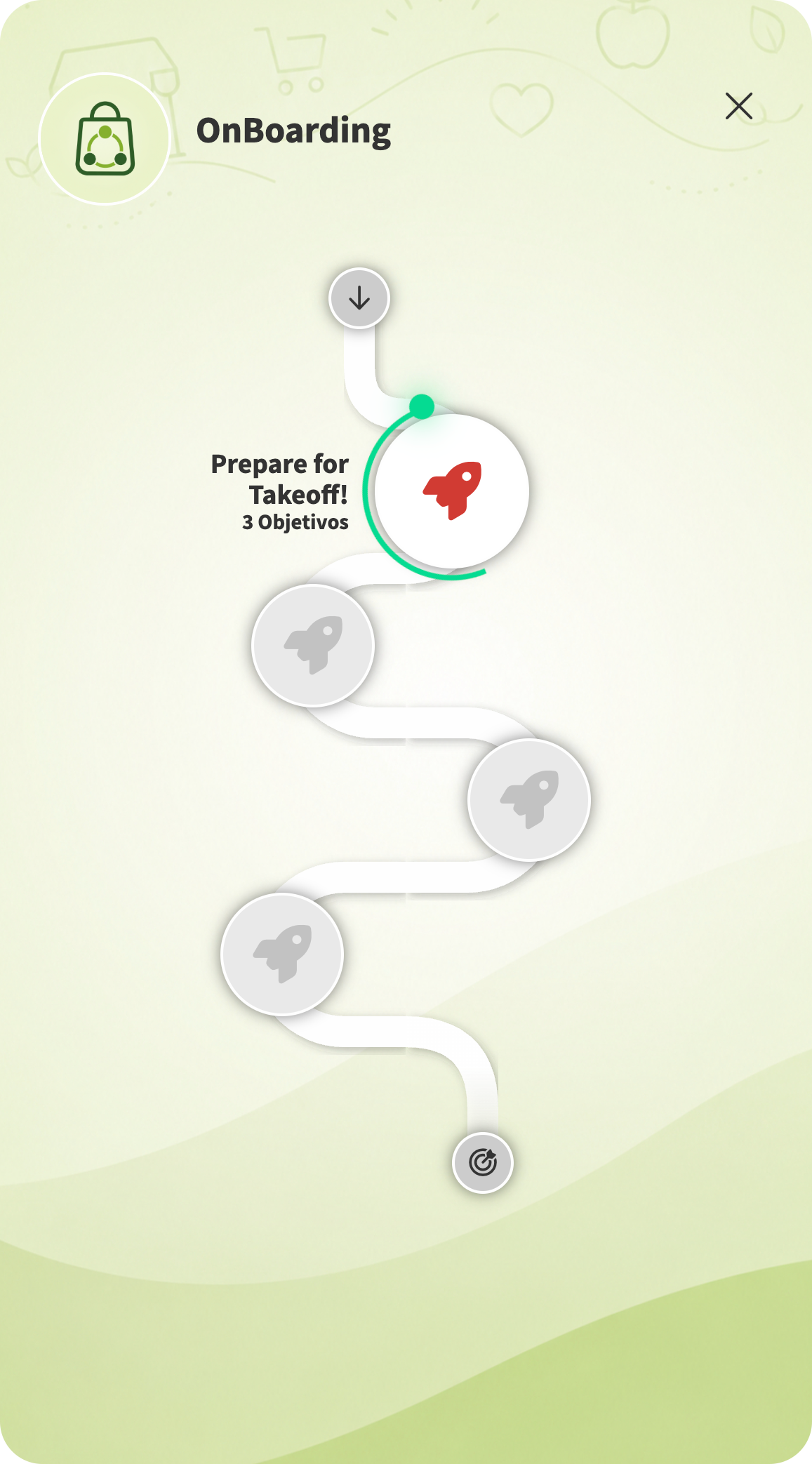
 What is an Onboarding Mission in GFoundry
A well-designed onboarding is not an administrative checklist. It is a product – with objectives, milestones, triggers and metrics. In GFoundry, that product is called a Mission, and it is the basic unit of the Employee’s Journeys that the platform lets you build.
A Mission is a structured, gamified journey that guides an employee through a sequence of milestones and objectives until a path is completed. In an onboarding context, the Mission replaces the traditional Excel checklist and the back-and-forth of HR emails with a single, mobile-first visual experience, with points, badges, deadlines and dashboards.The key difference from a classic LMS: a mission is not just content – it is orchestration. A single mission can include videos, quizzes, forms (e.g. contract submission), tasks (e.g. schedule a meeting with the manager), technical training, goal setting and IDP. All within one visual narrative. Full technical documentation in the Help Center: What is a Mission? and Missions (Employee’s Journeys).
Anatomy of a Mission: Milestones, Objectives and Triggers
Every Mission in GFoundry is built from 5 core elements. Knowing them is what separates a passable onboarding from one that is properly designed.
Milestones
Break the journey into visible phases (e.g. Week 1, Month 1). Each milestone has a name, message, icon and availability delay.
Objectives
The concrete actions inside each milestone (watch a video, take a quiz, submit a form). Every objective has a validation trigger.
Thumbnail and background
Visual elements that turn the mission into a game-like screen. Main image + background.
Journey Preview
View the mission exactly as the employee will see it, before going live. Fast visual validation.
Save-for-later + Tokens
Design the mission across multiple sessions without losing progress, using continuation tokens.
When a mission completes a cycle (e.g. last quarter’s cohort is done), the backoffice lets you reset progress to launch a new cohort. See how to reset.
The 3-phase journey: Pre-Onboarding, Welcome and Role
Most GFoundry onboardings follow a 3-phase structure. Each phase has its own objectives, modules and metrics. The grid below is the skeleton you can adapt to your context.
Each of these phases is typically a mission (or a set of milestones inside a larger mission), with different completion triggers and dedicated dashboards for HR and the direct manager.
The Cost of Weak Onboarding
Integration is not just an HR process. It is a financial decision. Industry data shows why.
The conclusion is simple: the infrastructure of a mission (milestones, objectives, gamification, dashboards) costs a fraction of replacing a single employee who leaves within the first 90 days.
How GFoundry solves the infrastructure
The Pre-Onboarding & Onboarding module, combined with Gi Learn (AI for content generation) and the Gamification Engine, lets you design complete missions in hours, not weeks.
Explore the Pre-Onboarding & Onboarding module in detail or book a demo to see it in action.
6 Onboarding Mission Templates by Role Type
These 6 templates cover most onboarding scenarios in modern organizations. Each is a starting point – adapt it to your industry, role and culture.
1. Pre-Onboarding
For the interval between contract signing and Day 1.
- Welcome video from the CEO or Head of People
- Document submission (tax ID, social security, IBAN)
- Short quiz on the company and its values
- Task “Schedule a coffee with your buddy”
- Mini-course on the industry, generated by Gi from an internal PDF
2. Generalist Onboarding
For administrative, R&D, support and back-office roles.
- Manifesto video + “Who’s Who” quiz
- IT setup, access and tooling checklists
- Compliance + information security training
- Definition of 3 objectives for the quarter
- Initial IDP in the Evaluation & Careers module
3. Sales Onboarding
Sales reps and account managers in ramp-up.
- Product bootcamp: pitch and objections with Gi Practice
- Competitive quiz with internal leaderboard
- Demo simulations with peer and manager review
- Submission of the first 5 calls for QA
- Setting an onboarding quota (ramp-up)
4. Technical Onboarding
Devs, engineers and product teams.
- Dev environment setup
- Architecture tour with videos, diagrams and quizzes
- First PR as a Week 2 objective
- Scheduled pairing with seniors at each milestone
- Internal Month 1 presentation: “what I have learned”
5. Frontline
Operations and shop-floor, factory or call-center teams.
- Mobile-first microlearning on critical procedures
- Short daily quizzes (3-5 questions) for the first 2 weeks
- QR codes at workstations linking to contextual training
- Shift-by-shift checklists validated by the team leader
- Peer recognition on the first operational objective met
6. Leadership
Newly hired or promoted managers and directors.
- 1:1 sessions with each C-level member
- Mapping of the direct team: profiles, pains, current KPIs
- 30/60/90 day plan visible to N+1
- People Management training + Gi Practice
- First team review at the end of Month 3
Building mission content with Gi: AI applied to Onboarding
One of the classic onboarding bottlenecks is the time HR (and managers) spend producing content. GFoundry solves this with Gi, the platform’s proprietary AI engine.
Gi Learn generates complete courses from a PDF, manual or topic. You feed the system your store operations manual and it returns course structure, learning objectives, written content and quizzes ready to validate. HR reviews and publishes.
Gi Practice lets the employee train competencies through real-time voice conversations or text role-play: “first client meeting”, “giving difficult feedback to a peer”, “handling a sales objection”. The system simulates the other party and provides structured feedback.
“Before Gi Learn, planning the content for week 2 of onboarding used to take us an entire sprint. Now that content is ready in 30 minutes from the Quality Policy PDF.”
The practical result: HR shifts from slide producer to journey curator. Time is reclaimed for what actually matters – designing the right mission for the right role.
Measuring results: Onboarding KPIs and Reports
A mission with no measurement is just pretty content. The GFoundry backoffice exports automatic reports for the most common onboarding indicators.
For HR leaders, these indicators show up on dashboards in the backoffice. For the direct manager, they show as alerts on their own screen when a team member falls behind a milestone.
4 Companies already running Onboarding with Missions on GFoundry
These 4 clients implemented onboarding missions on GFoundry in different contexts – retail, industry, consulting and banking. Each link points to the full case study.
Carglass – Go Inside
Complete talent management with gamification. Remote onboarding was essential during the pandemic and became permanent infrastructure.
Cork Supply
Onboarding and qualification across time zones, with multi-language e-learning for employees in several countries.
Closer Consulting – StayCloser
100% digital onboarding integrated with performance reviews, learning and innovation management.
Natixis – All Aboard
Gamified onboarding that complemented the 2-day in-person plan with a personalized digital experience.
Onboarding is a product, not a checklist
Every onboarding mission on GFoundry is a product decision: what outcome do we want for this employee in the next 90 days, what path will we walk them through, and what signals will we measure.
The platform handles the infrastructure – milestones, objectives, triggers, dashboards and AI for content. Direction stays on the HR and managers side, who reclaim time for what no tool can solve: designing the right journey for the right role.
To get started with missions in GFoundry, explore the Pre-Onboarding & Onboarding module, check the Natixis (ALL ABOARD) case study, or book a demo to design your first mission in a workshop with our team.
Further reading:
- Employee Onboarding 2026: From Compliance to Connection
- Employee Preboarding: The Definitive Guide to Eliminate No-Shows
- Transform your Onboarding into an Unforgettable Experience
- Onboarding in Retail: The Role of Digital Onboarding in the First 30 Days
- The 12-Month Gamification Strategy: The Wave Logic Approach