Learning and development
Manage training. Make learning engaging.
A complete LMS, from creating courses to managing training. Give people a clear path through content and practice, with gamification that makes progress visible.
The learning experience
A clear next step.
From the first screen.
Show people what the course covers, where they are and what comes next. Bring learning and practice into a guided experience they can follow at their own pace.
A course people can navigate.
The overview brings together the course introduction, completed activities, the next step and progress. Rankings can make participation part of the experience.
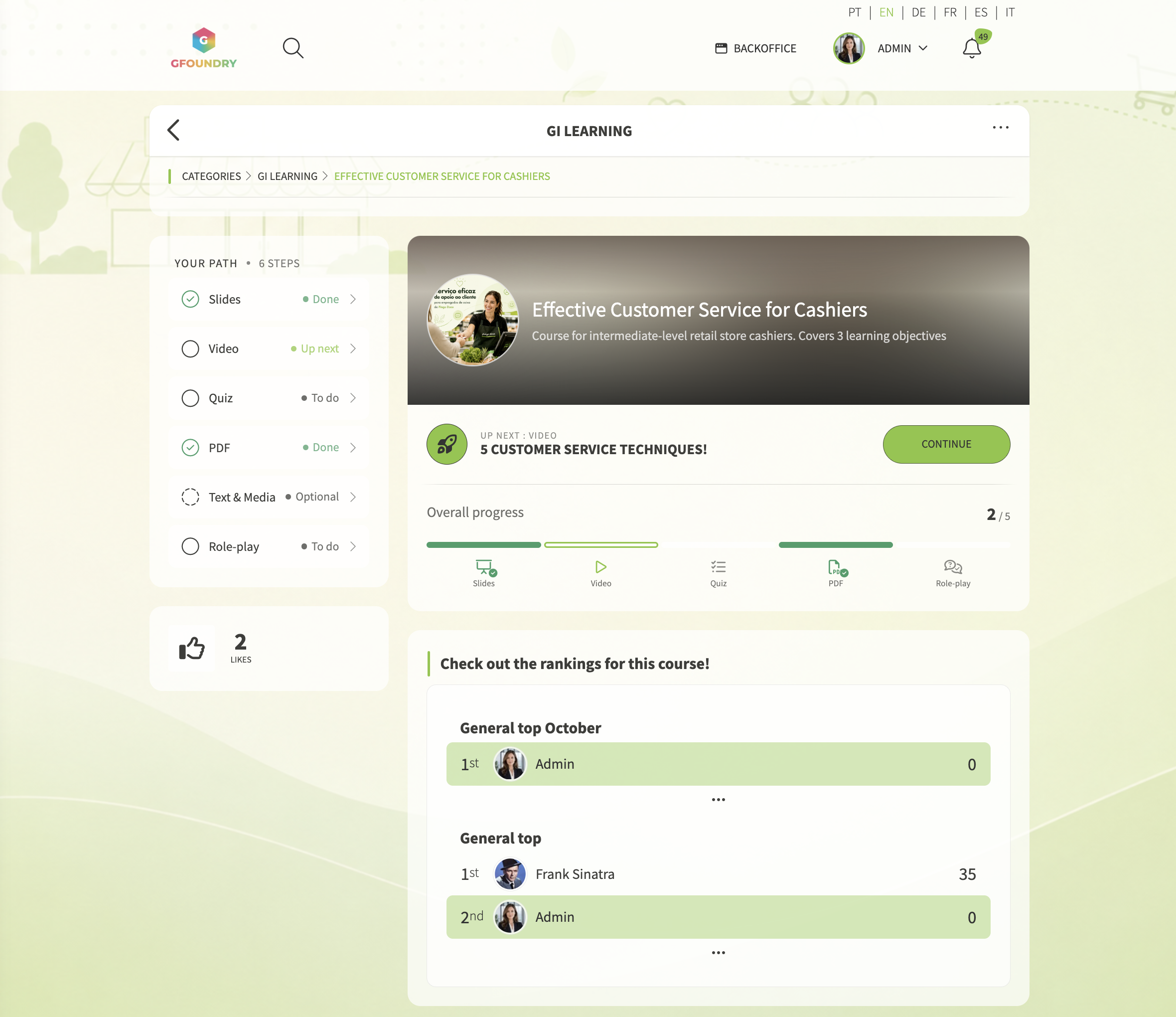
Course overview: the next activity, progress and rankings.
Different formats. One learning path.
Move through presentations, video, quizzes, PDFs, text and role-play in the same course. A visible path helps learners keep their place as they work through the activities.
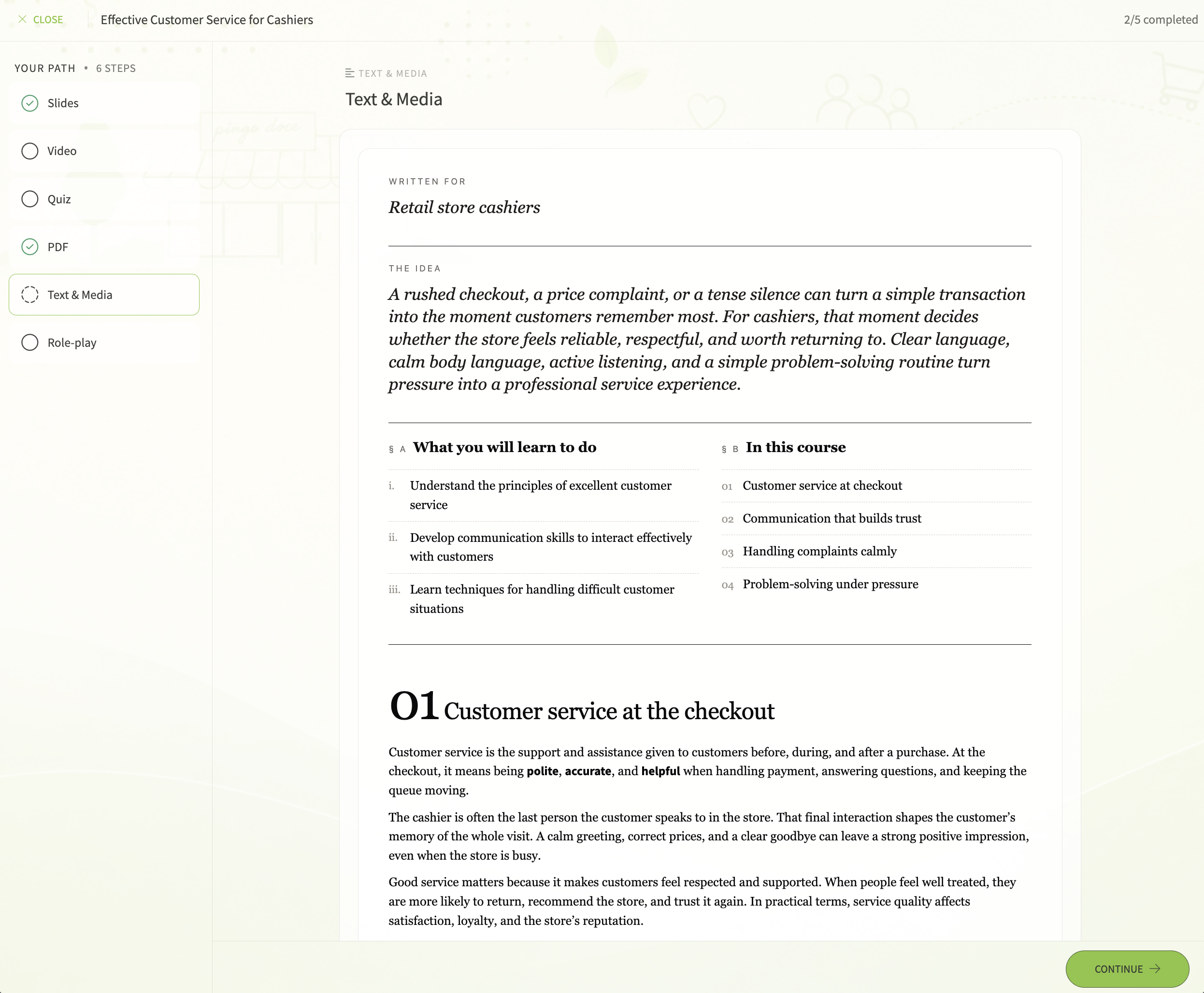
Guided course: content and practice, step by step.
Gamification for learning
More than completing a course.
A reason to take part.
Gamification is part of the GFoundry learning experience. Recognise achievements, make progress visible and connect participation to rewards. Give people another reason to practise, return and learn together.
Badges that recognise achievement.
Reward learning milestones with badges. Each badge can carry points and virtual coins, with rules tied to the actions your programme wants to recognise. Make an achievement visible and give it a place in the learning journey.
Leaderboards that make progress visible.
Give learners a place on quiz and global leaderboards. Use individual or team rankings to add a shared challenge, recognise performance and make participation part of the experience.
Virtual coins. Rewards people can choose.
Let people earn virtual coins through badge rewards and exchange them for items in your Marketplace. Offer products, experiences, benefits or contributions to social causes, with a catalogue chosen by your organisation.
Quiz battles that bring people together.
One learner challenges a colleague to the same quiz, and each plays in turn. The player with more correct answers wins; time breaks a tie. Alongside Classic, Genius and Ladder, Battle Mode gives people another way to revisit and practise knowledge.
Course creation
Build the course.
Choose the experience.
Combine content blocks and arrange them in the order that fits your objective. Present them on one continuous page or guide learners through one step at a time.
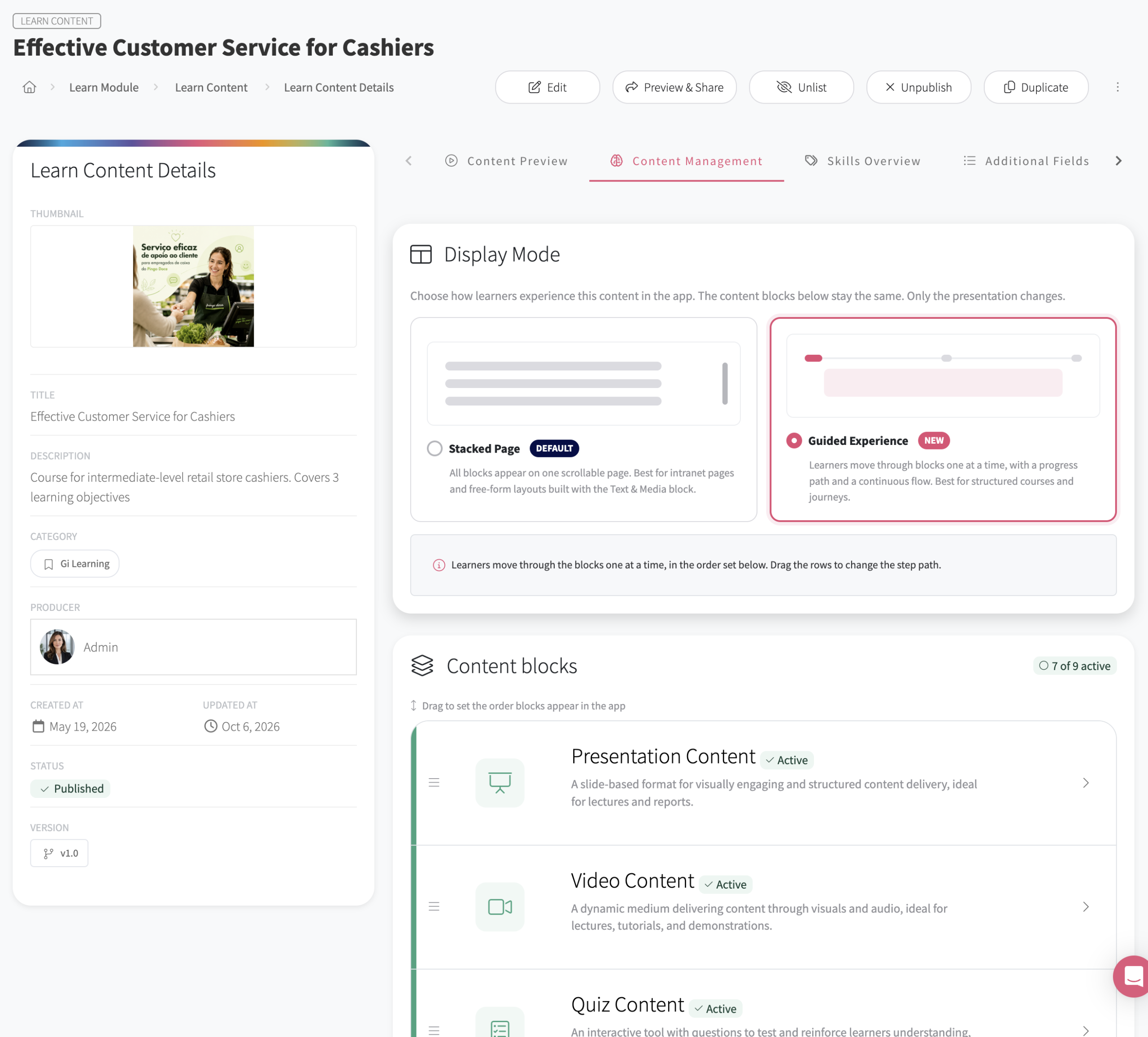
Course editor: choose the display mode and organise the content blocks.
The learning catalogue
Make learning
easy to find.
Organise content into categories so people can explore the learning library alongside the training assigned to them. Give topics and progress a clear place in the experience.
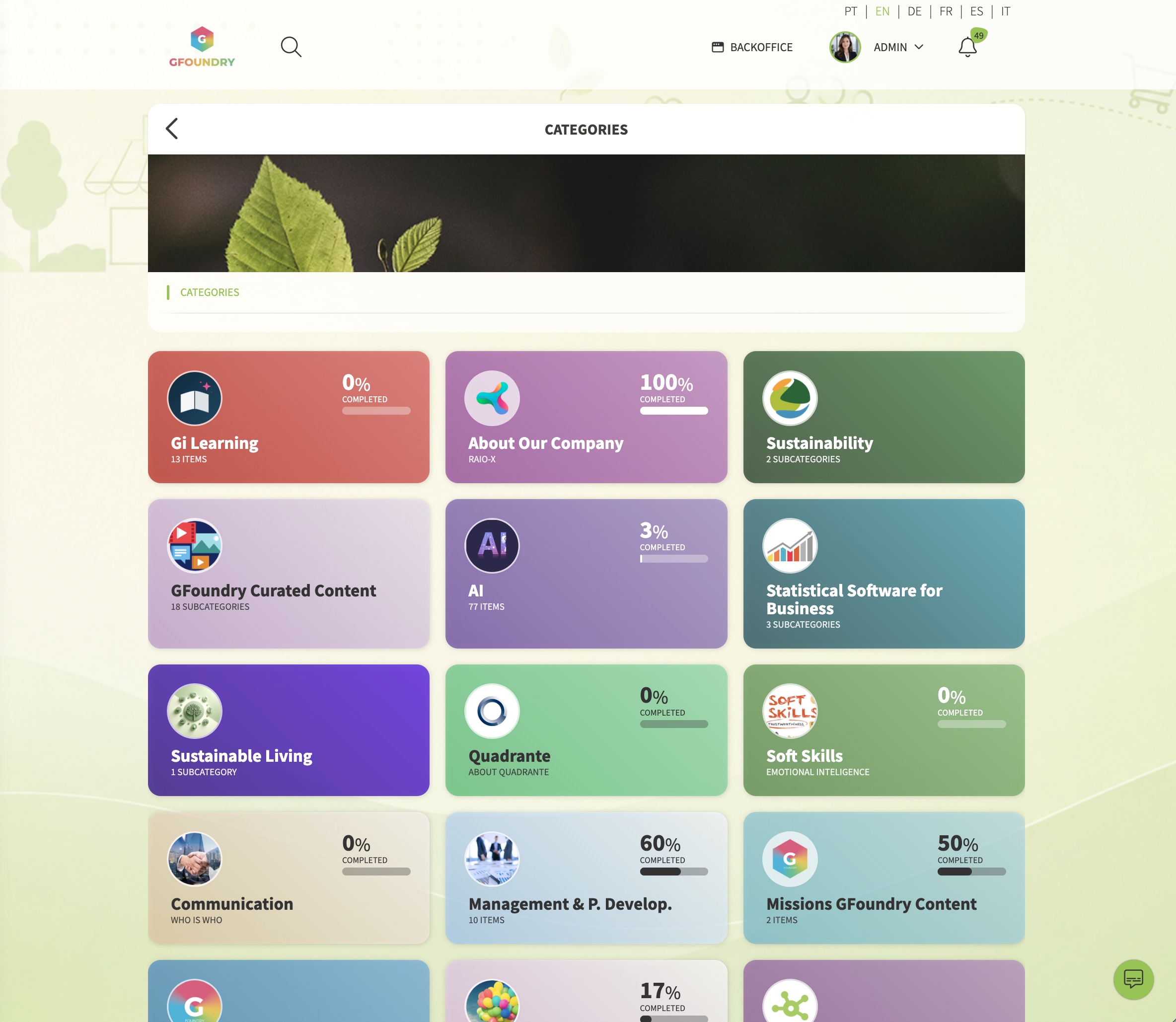
Learning categories in a branded GFoundry experience.
An organised library.
Bring content together by topic, audience or learning need. Categories and subcategories help people find their way through the catalogue.
Progress people can see.
Show progress within the catalogue and the course itself. Learners can identify what they have completed and pick up the next activity.
Training management
A complete LMS.
Structure for your training.
Use Training Programs when learning needs an audience, a deadline and evaluation. Connect programmes through Curricula for longer pathways, from onboarding to role development.
Training Programs
Group learning content into a programme with clear objectives. Set required or recommended assignment, enrolment rules, dates and evaluation.
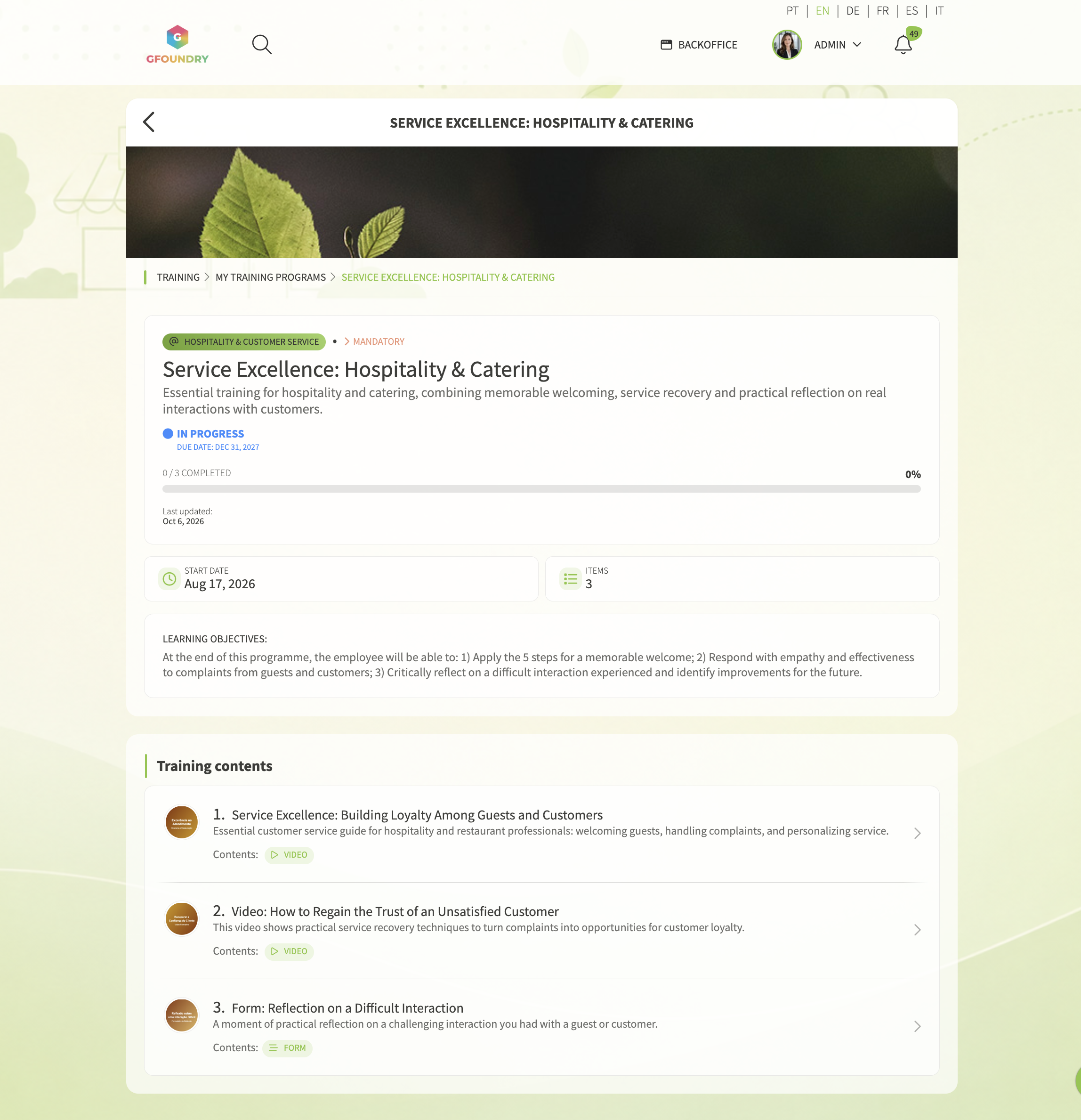
A Training Program as the learner sees it: objectives, content and progress.
Curricula
Bring several Training Programs into a broader pathway. Define required programmes and progression rules, and manage draft and published curricula in the backoffice.
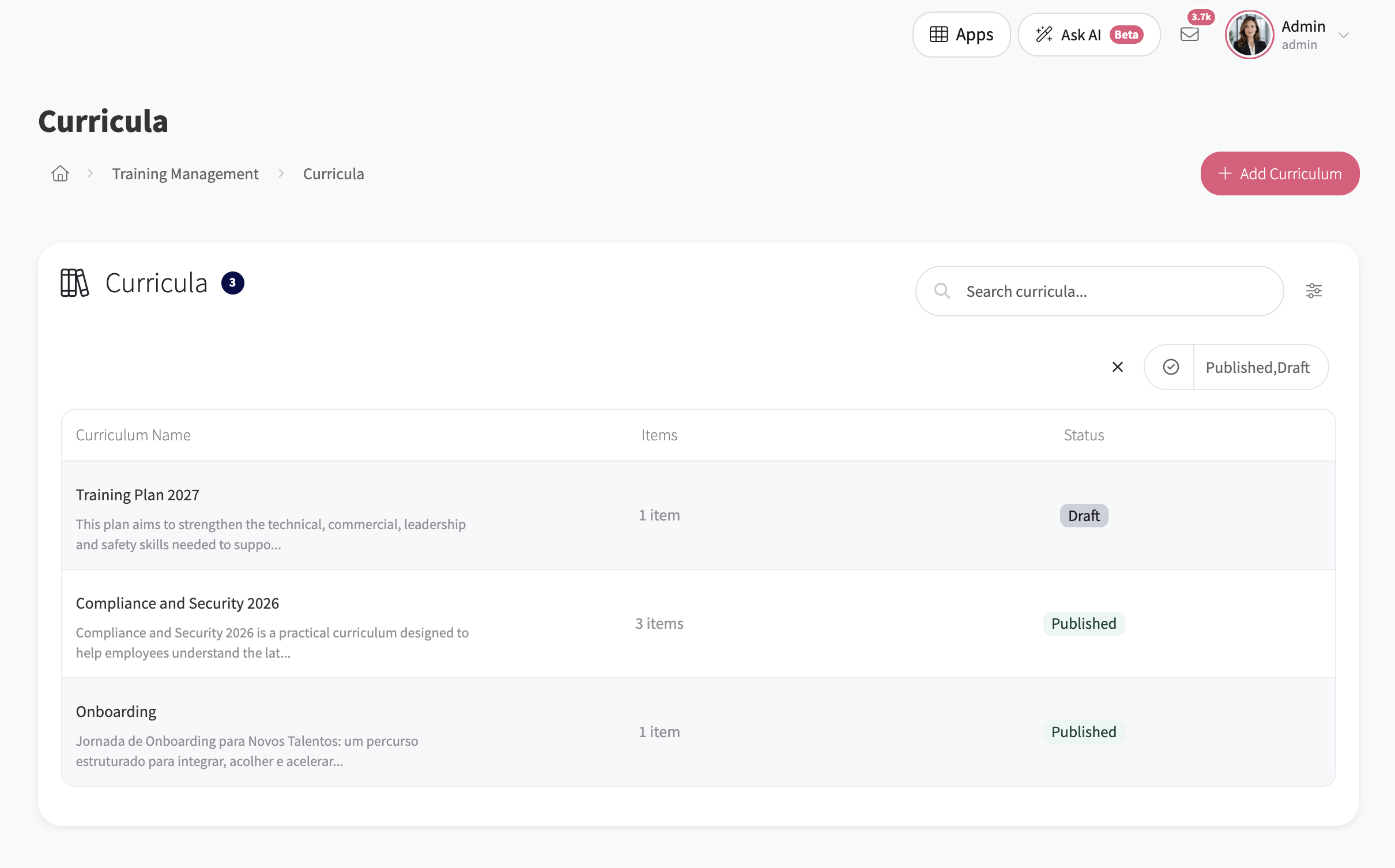
Curricula in the backoffice: pathways, programme counts and publication status.
Use sequential completion when later programmes depend on earlier learning. Add a pathway-level evaluation when you need a checkpoint across the whole curriculum.
Training follow-up
See the whole programme.
Understand each person.
Move from an organisation-wide view of training to an individual record. Follow assignments, enrolments, deadlines and completion, so your team can see where attention is needed.
The training manager’s overview.
Review training coverage, enrolments, overdue assignments and completion. Explore training and people views, filter the information and export it for further analysis.
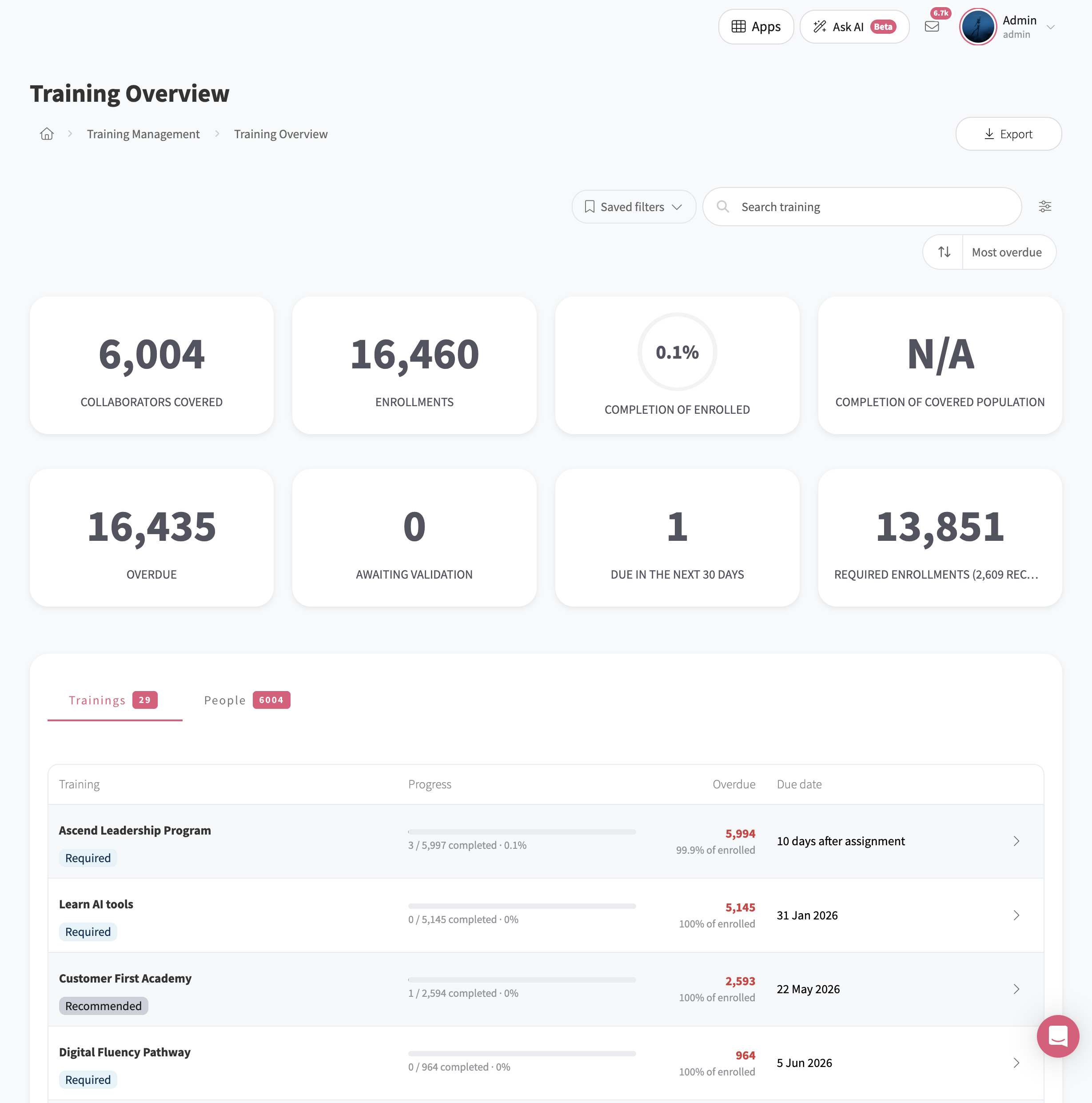
Training Overview dashboard. Illustrative training data.
The individual training record.
See the training assigned to a person, with its status, progress and due dates. Keep completed work, overdue assignments and items awaiting validation in view.
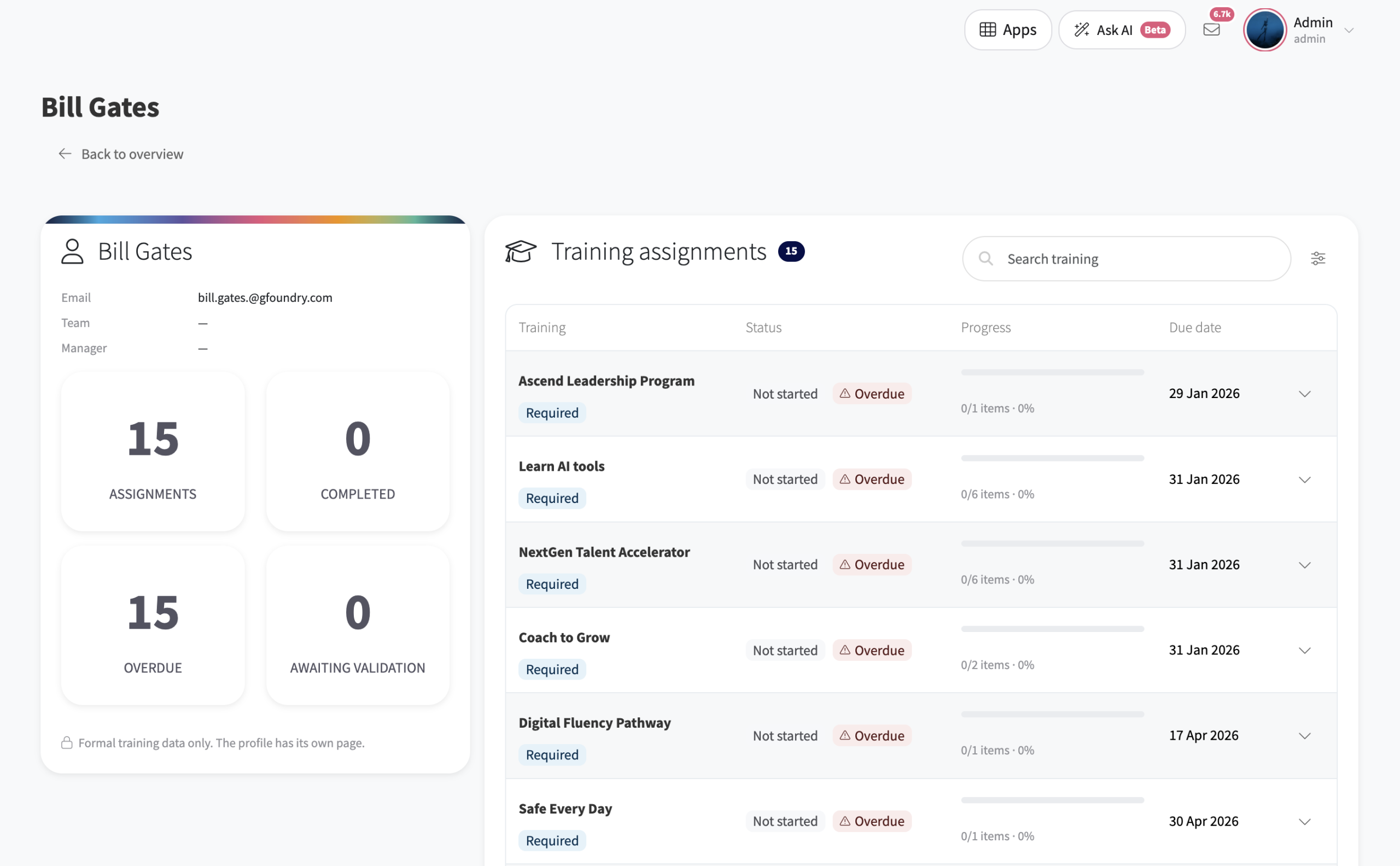
Individual training record. Illustrative training data.
Evaluation and achievements
Follow progress.
Check what has been learned.
Build evaluation into formal training and recognise achievements with certificates. Use the evidence you collect to support the next learning or development decision.
Assess learning.
Use an Initial Assessment to establish a starting point and a Knowledge Test to check understanding. Configure later Validation to review application in the workplace.
Record achievements.
Award internal certificates through configured rules or manual assignment, and keep records of external certifications alongside them.
Connect learning to skills.
Bring learning evidence together with evaluated role-play, peer recognition and skills assessments. Use those signals to support development beyond course completion.
Beyond the course
More ways to learn.
More reasons to take part.
Extend the learning experience with gamification, specialist AI agents and Missions. Use them around the programme’s objective, whether you are creating content, practising a conversation or connecting learning with action.
Gamification with a purpose.
Choose the achievements and activities that matter to your programme. Bring badges, rankings, rewards and quiz challenges into a learning experience built around those objectives.
AI for creation and practice.
Learning Designer helps create courses from a briefing or PDF, with review before publishing. Role-Play Coach lets people rehearse conversations and receive feedback against the scenario’s criteria.
Missions that connect the journey.
Build milestones that connect courses with tasks and activities across GFoundry. Give an onboarding programme or a new process a journey that continues beyond the course.
Learning in practice
Pierre Fabre.
Knowledge with participation.
Pierre Fabre used GFoundry with CATCH to support product learning for pharmacies and their teams, bringing in-depth content together with short messages and gamified activities.
Frequently asked questions
Your learning platform.
Your questions answered.
Is GFoundry a complete LMS?
Yes. GFoundry is a complete LMS. Create and deliver learning content, organise formal training through Training Programs and Curricula, manage enrolment and evaluation, track progress and issue certificates. Gamification, AI-assisted creation, role-play and Missions extend the learning experience.
Can GFoundry replace our existing LMS?
Yes. GFoundry can replace your existing LMS. It brings course creation, learning delivery, formal training management, assessment and reporting into one platform. Our team can review your current content, data and workflows with you to plan the migration and any integrations.
Is a guided course the same as a Mission?
No. A guided course takes the learner through the content blocks within a course, such as video, quizzes, PDFs and role-play. A Mission connects milestones and activities across GFoundry modules, and can include courses as part of a wider journey. You can use either or combine them around your objective.
How are Training Programs and Curricula different?
A Training Program groups learning content with its own audience, scheduling, enrolment and evaluation rules. A Curriculum connects several Training Programs into a broader pathway, with required programmes, progression rules and optional evaluation at pathway level.
Can we manage mandatory training and self-enrolment?
Yes. Configure required or recommended assignment and automatic, approval-based or optional enrolment. Set dates and due date rules for your audience. You can also use sequential completion when one part of the training depends on another.
Can we create courses with AI and keep editorial control?
Yes. Learning Designer can work from a briefing, a PDF or both. Your team agrees the proposal, generates the course and reviews the content before publication. AI-generated content is not published automatically.
Can we issue certificates and record external qualifications?
Yes. Award internal certificates through configured triggers or manual assignment, and record external certifications. Define the criteria and the achievements you want to recognise for each programme.
Does completing a course prove a skill or workplace impact?
Completion records progress against the course or programme rules. It does not, by itself, demonstrate proficiency or a change in behaviour. Combine knowledge checks, evaluated role-play, practical evidence and later validation when you need to assess application.