Internal communication and culture
Keep people informed. Bring your culture to life.
Bring news, events, Communities and people into one shared experience. GFoundry helps employees find information, take part in conversations and experience your organisation’s culture in everyday work.
The employee experience
Know what is happening.
Feel part of it.
Internal communication gives work context: it explains goals, makes decisions understandable and connects people who may rarely meet. By bringing information, dialogue and relationships together, it helps build trust and share the organisation’s values.
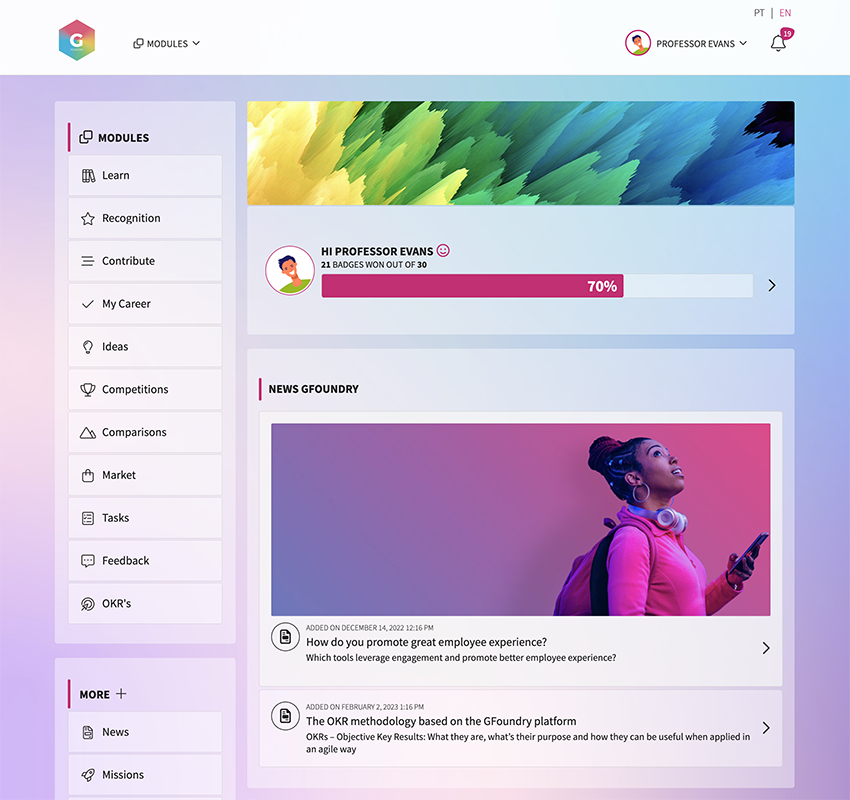
News and activities brought together in the employee experience.
A place to find information.
News, articles and events provide a common point of reference. A business update, a policy or an internal initiative can be found on the platform, rather than becoming scattered across different channels.
Room for conversation.
Dialogue gives communication meaning. Comments and shared contributions help clarify questions and bring in other perspectives, connecting the organisation’s message with people’s experience at work.
Relationships beyond the role.
Communities and personal profiles help people discover shared interests. That connection supports collaboration across teams and gives culture a presence beyond company announcements.
News, articles and events
The right message.
For the right audience.
Good communication combines relevant content with a clear way to find it. In GFoundry, you can publish news and articles, share events and segment content for the audiences it is intended to reach.
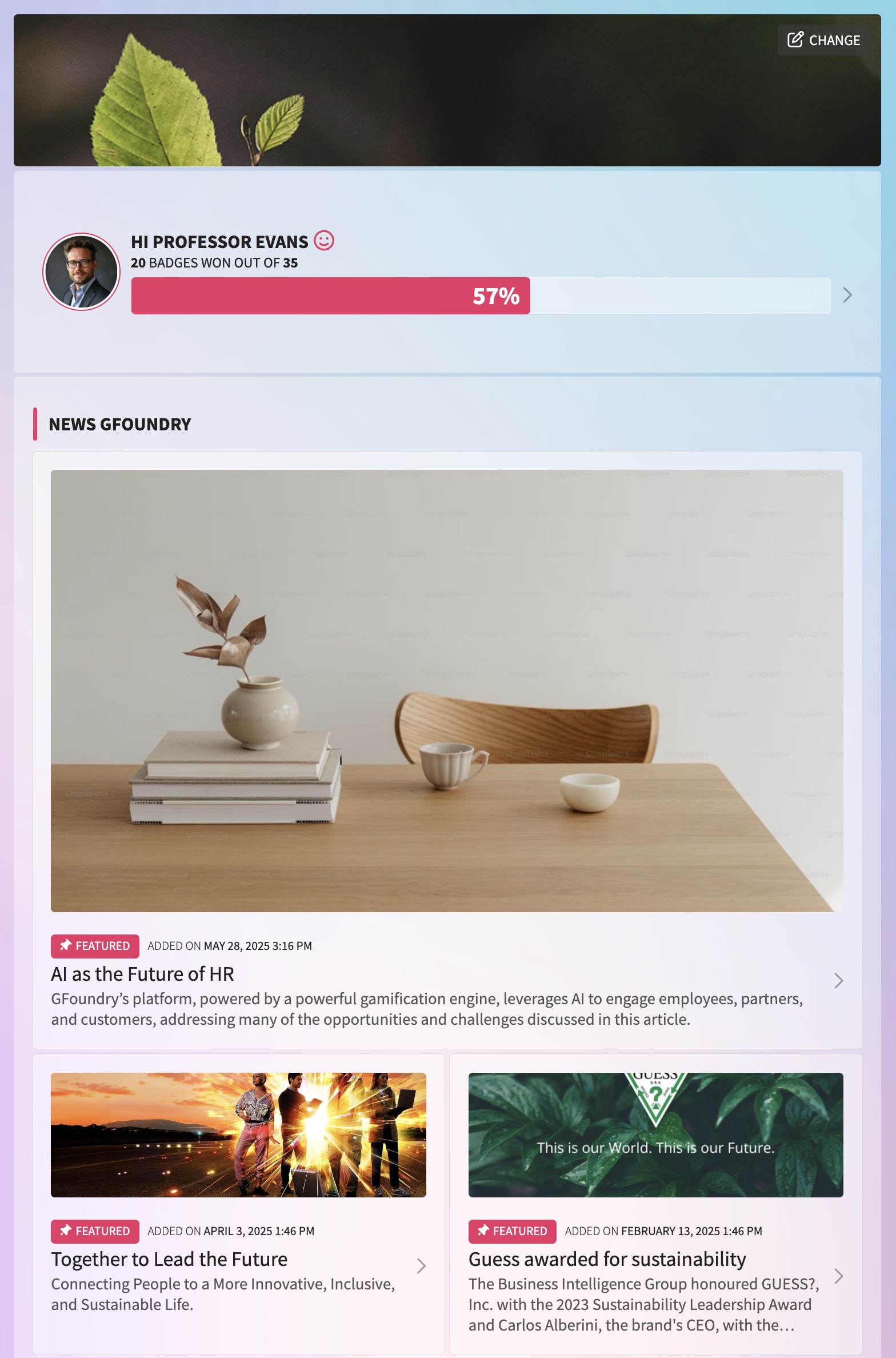
A content list that keeps company information accessible.
Context for change.
An article can explain why a decision was made, what is changing and what teams need to understand. Keeping business updates available supports transparency and alignment, without reducing communication to occasional alerts.
Events that connect people.
Internal gatherings, culture initiatives and knowledge-sharing sessions can be shared on the platform. Event information sits alongside other content, helping employees keep up with what is happening.
Segmentation and dialogue.
Content can be segmented by group and commented on by employees. Each audience can find relevant information and has a space to ask questions or contribute to the conversation.
Communities and ERGs
Shared interests.
Connections across teams.
Communities bring people together around interests, locations, countries or informal groups. They create opportunities to share across the organisational structure and give space to different experiences.
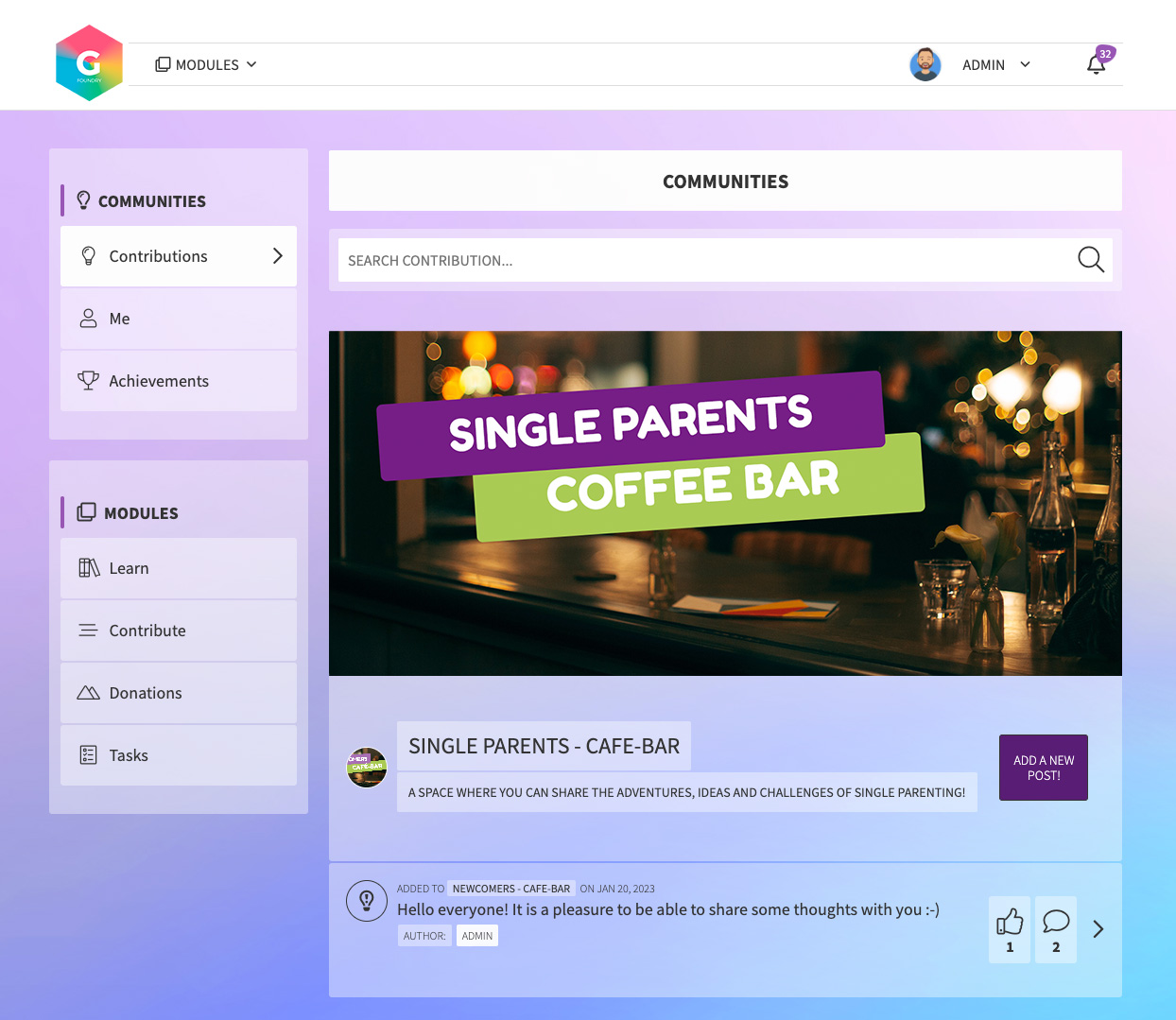
A Community example: a space for employees with shared experiences.
Belong and contribute.
Joining a Community helps people discover colleagues with similar interests and take part in shared content and conversations. Exchanging knowledge across functions can bring fresh perspectives and support creativity and collaboration.
Diversity and peer support.
Employee Resource Groups (ERGs) bring employees together around shared interests or identities. GFoundry supports these initiatives with personalised pages, discussion spaces and events. Trust also depends on participation guidelines and how the Community is supported.
A connection to participation.
Rankings can show individual, team or Community results. When they suit the programme, they help make collective participation visible and create shared goals.
Profiles and the People Directory
Understand the role.
Get to know the person.
Finding a name is just the beginning. The directory and personal profiles help people understand who does what, discover common interests and start a relationship with colleagues in other teams.
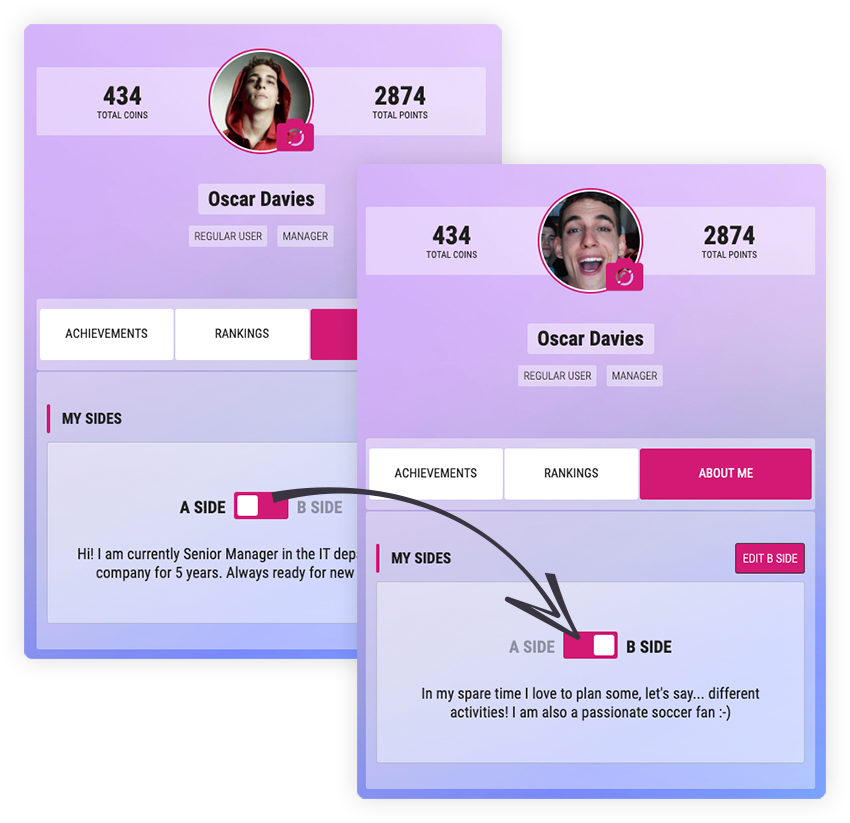
Two sides of a profile: professional context and personal interests.
A profile with an A side and a B side.
Every user has an individual profile where they can introduce their professional side and what they choose to share about their personal side. That human dimension helps build relationships and makes common ground easier to find.
A directory to find and connect.
Searching by name or team leads to a colleague’s profile. There, you can discover their role, team and personal message, explore their Communities and interests, send recognition or request feedback. Shared activities give those connections somewhere to grow.
Notifications and digest
Stay in touch.
Give communication a rhythm.
Not every message needs the same channel or urgency. Push notifications and periodic summaries help people keep up with news and activities, according to your organisation’s configuration.
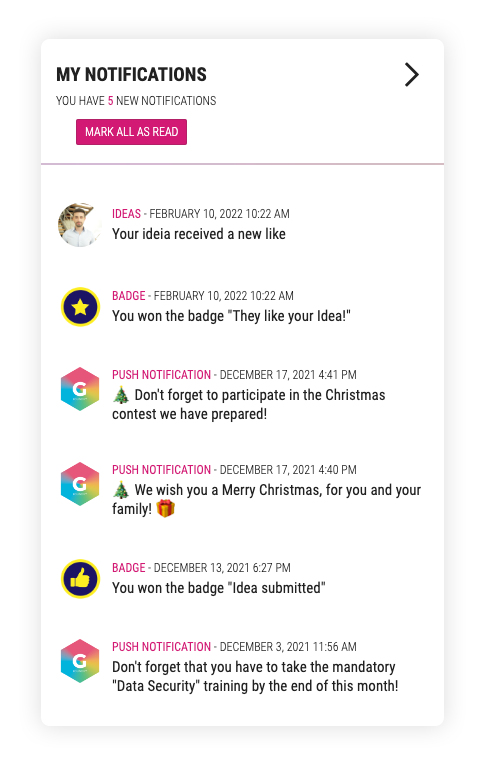
Notifications connected to activity on the platform.
Notifications when they are needed.
Push notifications can be sent manually or generated automatically by the system. They share important updates and alerts, helping teams keep track of what needs their attention.
Digest: a view of what matters.
Included in Plus and Premium, the digest brings relevant information into a periodic summary. It can complement segmented audiences, notifications and automations, according to your organisation’s configuration.
A cadence that respects the audience.
Regular communication creates continuity. Keeping alerts for messages that need attention and using summaries to provide context helps avoid giving every update the same weight.
Guidance and connections
From information
to using it at work.
A message about a process is more useful when people also understand how to follow it. Contextual guidance and connections to other tools help communication lead to practical use.
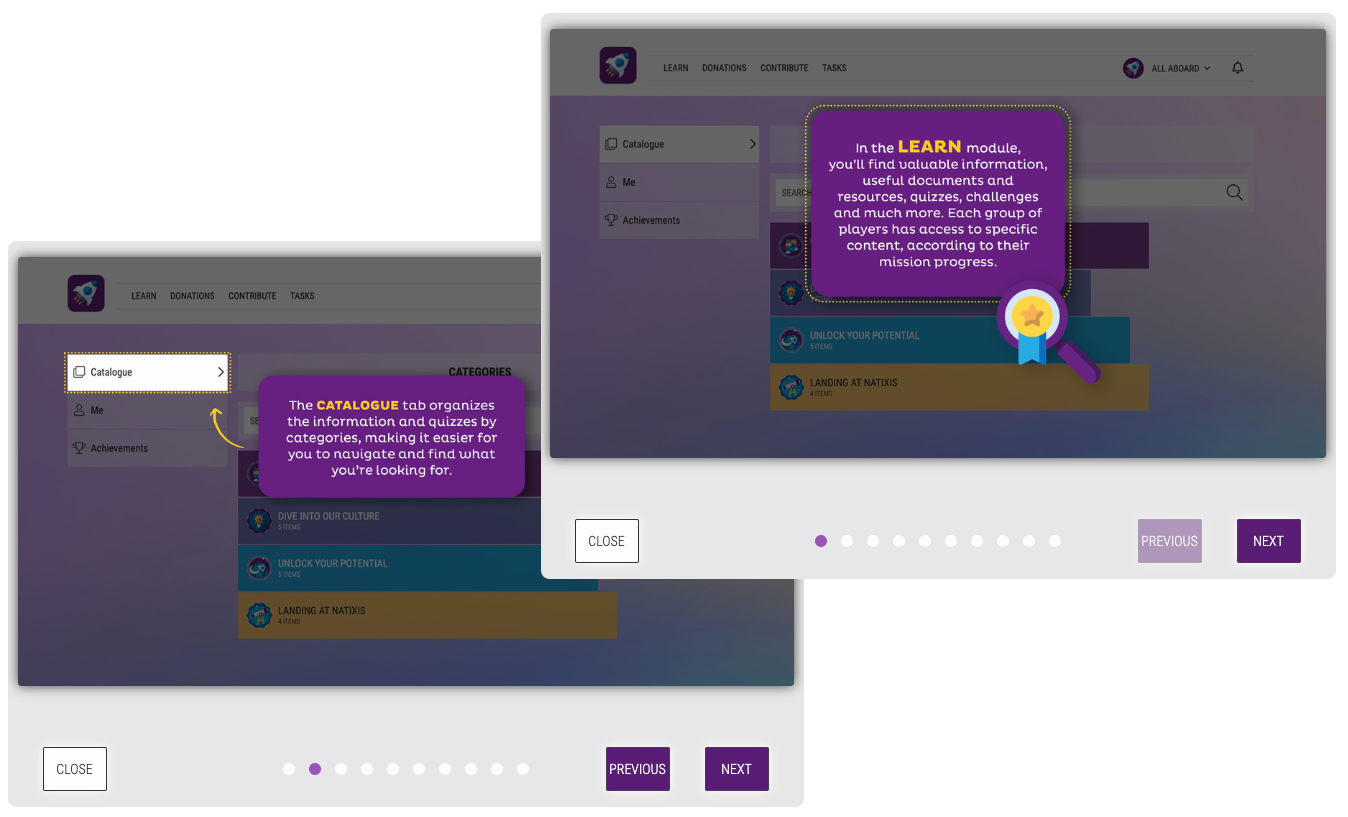
Help Wizards: explanations alongside the tools employees use.
Help Wizards in context.
Help Wizards guide users step by step and explain how to use the tools. Contextual guidance can reduce recurring questions and support process adoption; keeping the guides current is part of the communication work.
Connections to company systems.
GFoundry can integrate and synchronise information with platforms your company already uses. Connections depend on the APIs, connectors and configuration agreed for the project, allowing information to move between teams and tools.
Participation and gamification
Culture comes to life
through the initiatives people join.
A culture programme can connect communication, learning and recognition. Gamification makes progress in those activities visible and helps give people reasons to take part, individually and with their Community.
Badges and recognition.
Badges mark milestones and achievements in programmes. Peer recognition provides a way to value contributions and behaviours that express the organisation’s values.
Individual and collective rankings.
Leaderboards show the progress of people, teams or Communities. Their role depends on the initiative’s objective: competition should support collaboration and involvement, with clear criteria.
Virtual coins and Marketplace.
Coins earned through activities can give access to items in the internal Marketplace. A rewards catalogue connects effort with something people value, according to the programme’s rules.
Challenges connected to culture.
An initiative can combine content, quizzes, activities and Missions. Participation needs a purpose: getting to know the organisation, learning together or contributing to a shared goal.
A strategy that lasts
The platform provides the space.
The strategy gives it purpose.
At GFoundry, we see internal communication as one of the first processes to implement. Technology organises the experience; clear objectives, content ownership and a cycle of listening and improvement keep it relevant over time.
Clear objectives and audiences.
A strategy starts with what you want to improve: involvement, alignment or how operations work. Understanding employees’ needs and preferred channels helps determine what to communicate and to whom.
The right channel for the message.
A meeting, an email and a news item on the platform serve different purposes. Choosing the channel to suit the content and audience makes communication useful, rather than repeating every message everywhere.
Consistency and collaboration.
Regular business updates strengthen a sense of belonging. Spaces for dialogue and exchange across functions help break down silos and draw on the knowledge teams already have.
Listening, evaluation and improvement.
Employee feedback should inform the next communication. Following participation, understanding recurring questions and reviewing what works helps refine content, channels and cadence. Responding to the questions received closes the dialogue loop.
Frequently asked questions
Your internal communication.
Your questions, answered.
Can we communicate with different audiences?
Yes. News, articles and events can be segmented for their intended groups. Segmentation helps keep information relevant to each audience; groups and content should be configured around the organisation’s structure and objectives.
Can Communities support ERGs and interest groups?
Yes. You can organise Communities around interests, locations or shared experiences. ERGs can use that space for sharing, discussion and events. A clear purpose, participation guidelines and support for the group help build trust.
How do notifications and the digest work?
Push notifications can be sent manually or automatically by the system. The digest, included in Plus and Premium, brings relevant information into a periodic summary. The combination of notifications, audiences and automations depends on your organisation’s configuration.
Can we connect communication to tools we already use?
Yes. GFoundry can integrate with other platforms through available APIs and connectors. The scope of synchronisation and automations is defined in the project, according to the existing systems and configured permissions.