Pre-onboarding and onboarding
A good beginning. A path to grow.
Connect welcome activities, learning and tasks in one clear onboarding journey. With Missions and gamification, every new colleague knows where to start, sees their progress and finds their place in the organisation.
The newcomer experience
Onboarding starts
before the first day.
Joining an organisation means more than receiving access and documents. It means understanding the culture, building relationships and learning how to contribute. GFoundry brings those dimensions together in a visual journey, from pre-onboarding to development in the role.
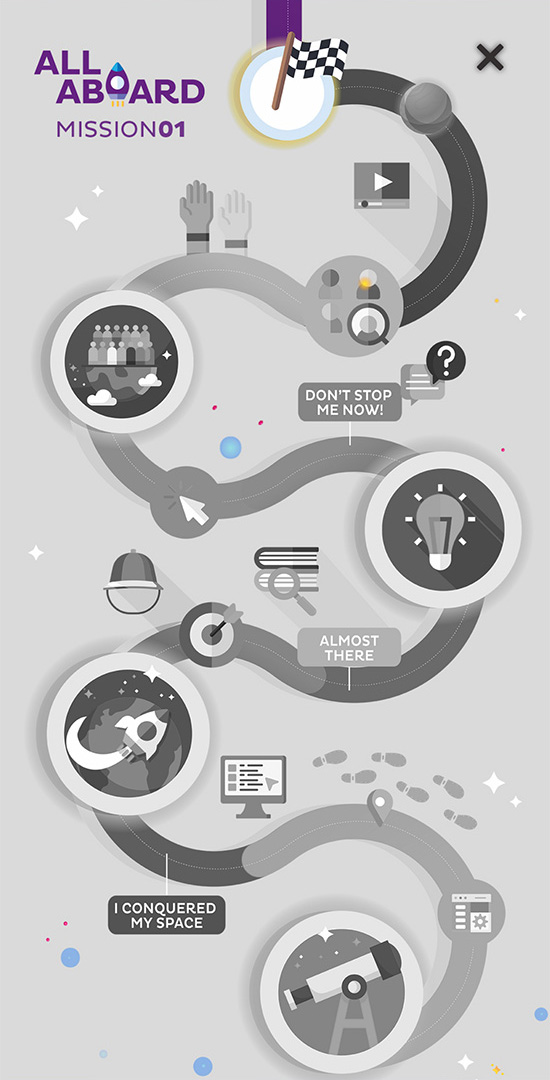
Example of an All Aboard onboarding Mission.
Before they arrive.
The time between accepting an offer and the first day can bring uncertainty. A pre-onboarding journey introduces the company, the people and what to expect, helping each new colleague feel welcome before they start.
During the first days.
Videos, learning content, quizzes and tasks can share the same Mission. Milestones give the welcome process a sequence and help people understand what they have completed and what comes next.
Beyond the welcome.
A well-supported welcome helps build confidence, autonomy and engagement, important conditions for retention. Integration continues through learning the role, working with the team and conversations with the manager. The journey can connect goals and a personal development plan, giving continuity to what began on the first day.
A practical example
From the company introduction
to the development plan.
A Mission can contain one or several milestones, linked to activities across GFoundry modules. A journey can begin with the company introduction, move through work preparation and documents, and continue into conversations about goals and development.
01
Get to know the company and its people.
A company introduction video gives context to the culture and the work. A “Who is Who” quiz helps newcomers get to know the organisation and their colleagues. Both activities use the Learn Module, combining information with participation.
02
Prepare the first steps.
Checklists in the Tasks Module help validate stages of the process, such as preparing access or confirming an activity is complete. A task can also include the link to a welcome meeting, including a Zoom call.
03
Bring the documents together.
The Forms & Surveys Module can include submission of an already signed employment contract. That step becomes part of the journey, making it easier to follow the documentation required for onboarding.
04
Discuss goals and development.
The conversation with the manager connects short- and long-term objectives in the Goals Module with a personal development plan in the Evaluation and Careers Module. Onboarding gains a concrete connection to the person’s development.
Your organisation’s journey
A shared foundation.
Experiences for each context.
Create as many journeys as you need and segment them by employee, group, team or department. The structure keeps onboarding organised; the content and tasks reflect the context of the person joining.
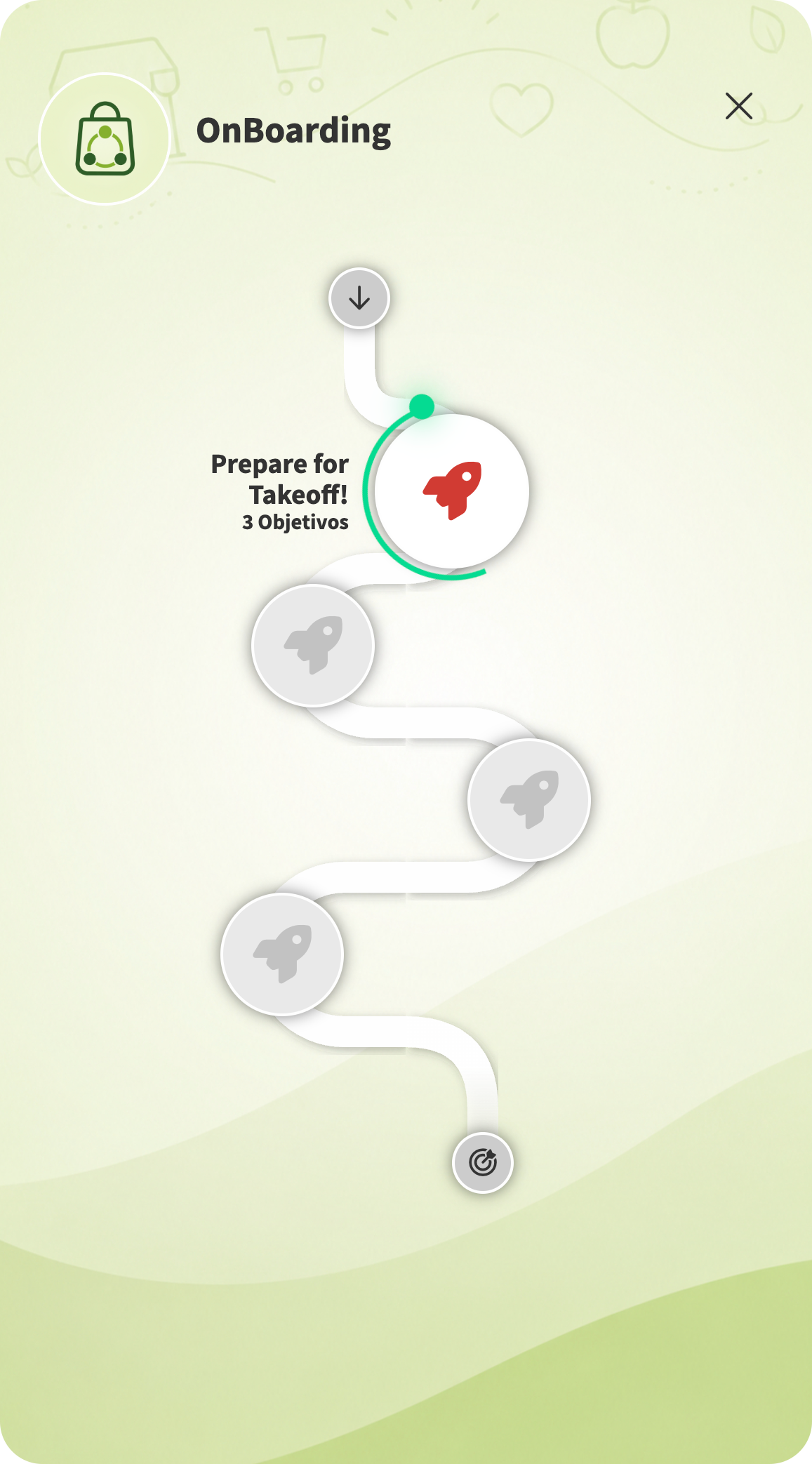
A visual journey that connects milestones and shows progress through the Mission.
Relevant content and tasks.
Someone joining a sales team needs a different path from someone entering a technical operation. Segmentation allows the content and tasks to reflect each audience.
Digital, in person or hybrid.
The Mission organises the journey even when some activities happen away from the screen. Learning, team meetings and practical tasks can belong to the same onboarding process.
The modules the process needs.
Learning, tasks, forms, goals and evaluation can connect in the same Mission. The journey combines the GFoundry modules your process needs, rather than limiting onboarding to a course.
Following the onboarding journey
Progress for the newcomer.
Context for the people supporting them.
A good welcome needs guidance and follow-up. Notifications help people return to the journey; statistics, reports and feedback help the responsible team understand where support is needed.
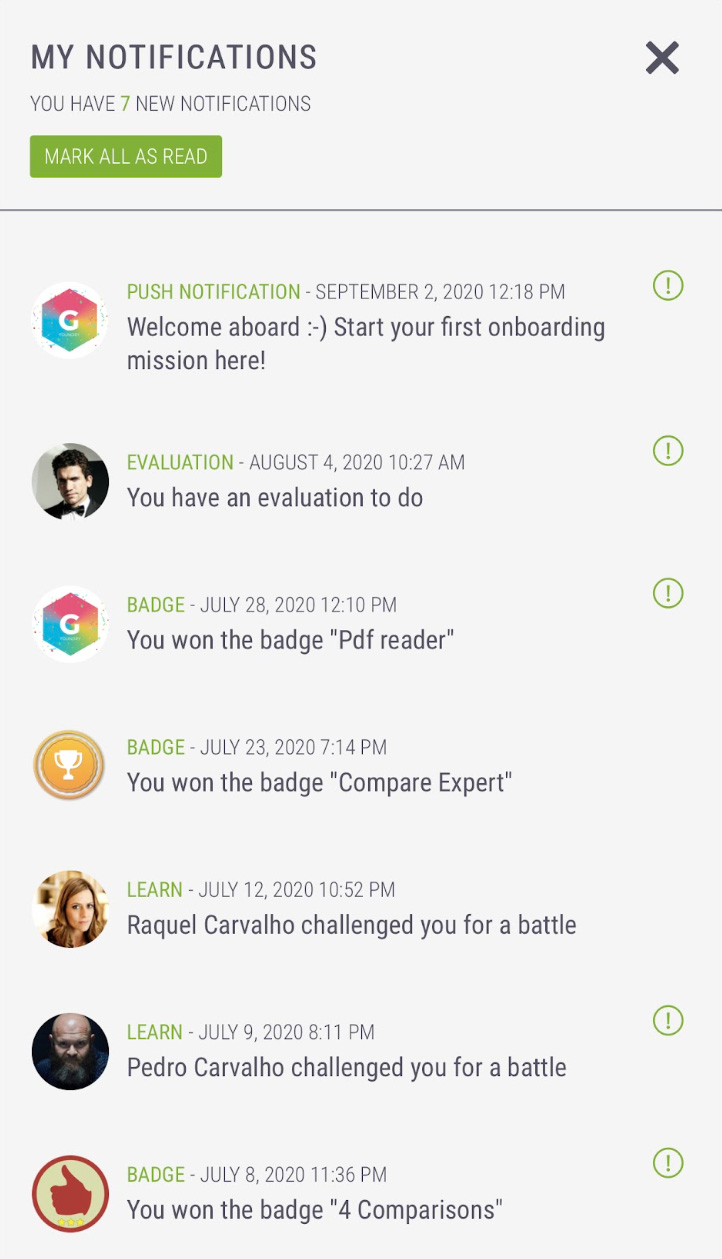
Example of notifications for activities and achievements in the platform.
Targeted notifications and reminders.
Messages can reach an individual or a group. Keep onboarding activities and next steps in view, without relying only on an initial email.
Statistics and reports.
Follow completion of Missions and activities in the backoffice. Reviewing progress by person or audience helps identify unfinished steps and prepare the manager’s follow-up.
Engagement and eNPS.
Engagement indicators and eNPS surveys add people’s perspective to participation data. Mission completion shows progress through the journey; feedback helps you understand the integration experience.
Gamification in onboarding
A journey with achievements.
More reasons to take part.
Gamification is one way to make the welcome experience more engaging. GFoundry connects actions and achievements to badges, points and rewards, giving progress a visible place in the experience and people a way to learn together.
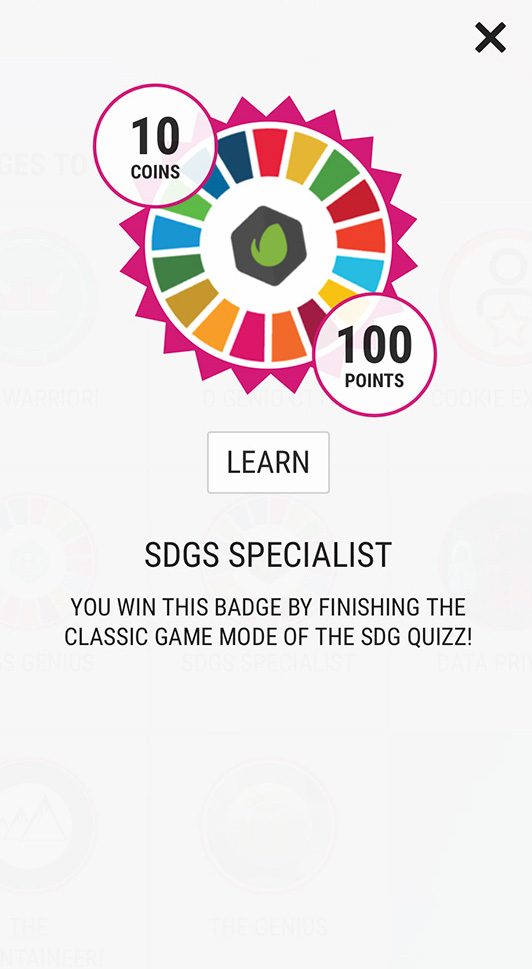
Example of a badge that awards points and virtual coins.
Badges, points and virtual coins.
Each badge can recognise an achievement and award points and virtual coins according to the programme’s rules. Coins can give access to items in a Marketplace selected by the organisation.
Quizzes and rankings.
Quizzes give newcomers an active way to learn about the company and practise knowledge. Rankings make participation visible; Battle mode lets someone challenge a colleague to the same quiz.
Game dynamics with a purpose.
Achievements should reflect what matters in onboarding: understanding a topic, completing a stage or taking part in an activity. Gamification supports the journey and relationships alongside human follow-up.
Preparation and connections
Content that is easier to prepare.
A process connected to your context.
The newcomer experience also depends on the people preparing onboarding. AI support for creating learning content and connections to external content and systems help bring together what the programme needs.
AI support for learning content.
Learning Designer helps turn a briefing or PDF into a structured course. Your team approves the proposal, generates the content and reviews it before publishing. Prepare onboarding learning while keeping control of what each person will learn.
External content and systems.
Onboarding can include external content and connect to other systems through GFoundry’s integration options. Configuration and project scope define the data and processes connected to your HRIS and organisational tools.
Onboarding in practice
Natixis.
A welcome built around participation.
Natixis chose GFoundry to create All Aboard, a gamified welcome experience connecting learning about company culture with participation. It is a concrete example of how a digital journey can support the integration of new colleagues.
Explore further
Ideas for your journey.
Continuity for your team.
Onboarding is a process of learning and integration, with a purpose beyond completing a list of steps. These guides and related solutions help you shape the experience and give it continuity.
Remote onboarding.
Explore the practical challenges of welcoming people remotely and preparing an onboarding experience that connects them to the company.
Remote talent management.
Consider how team relationships, communication and people management continue when colleagues work remotely.
Learning for the role.
Connect integration to the learning people need for their work, with courses, Training Programs and learning pathways.
Frequently asked questions
Your onboarding.
Your questions, answered.
Can we start before the first day?
Yes. A pre-onboarding journey can introduce the company, its culture and its people before someone joins. GFoundry supports a hybrid login model with SSO and LinkedIn: people can sign in through LinkedIn and take part in pre-onboarding activities even before signing their employment contract. The content and activities should suit that stage; the journey can continue through the first days and learning the role.
Can different teams or roles have different journeys?
Yes. Create multiple journeys and segment Missions, content and tasks by employee, group, team or department. The experience can share a common welcome while including what each audience needs.
Can onboarding combine digital and in-person activities?
Yes. A Mission can connect learning content, quizzes, checklists, forms and activities associated with in-person or online meetings. The journey organises the process; your team continues to provide the welcome and conversations that support integration.
Which plan should we choose for onboarding?
Compare the modules and services included in each plan with the journey you want to create. In a demonstration, we can discuss your audiences, activities, integrations and project implementation needs.