Process adoption
New processes.A team ready for change.
Help people put new processes and tools into practice. Build Missions with learning, tasks and feedback that support the change before, during and after rollout.
Change starts with people
Change creates value
when it becomes everyday practice.
A new process needs more than an announcement. People need to understand what changes, who does what and how to act. GFoundry helps you organise that preparation, with a journey relevant to each role.
Explain what changes
Explain why the process is changing and what people will do differently. Start with situations they encounter in their daily work.
Make it relevant to each role
Sales teams, managers and support teams need different guidance. Prepare content and tasks for each audience.
Support the first few weeks
Follow up with new activities and requests for feedback. Find out where people need help and adapt the programme.
One path through the change
Bring the steps together
in a Mission.
Combine videos, learning content, quizzes, tasks and forms in a journey with milestones and objectives. Participants see what to do and how they are progressing; your team follows completion across the journey.
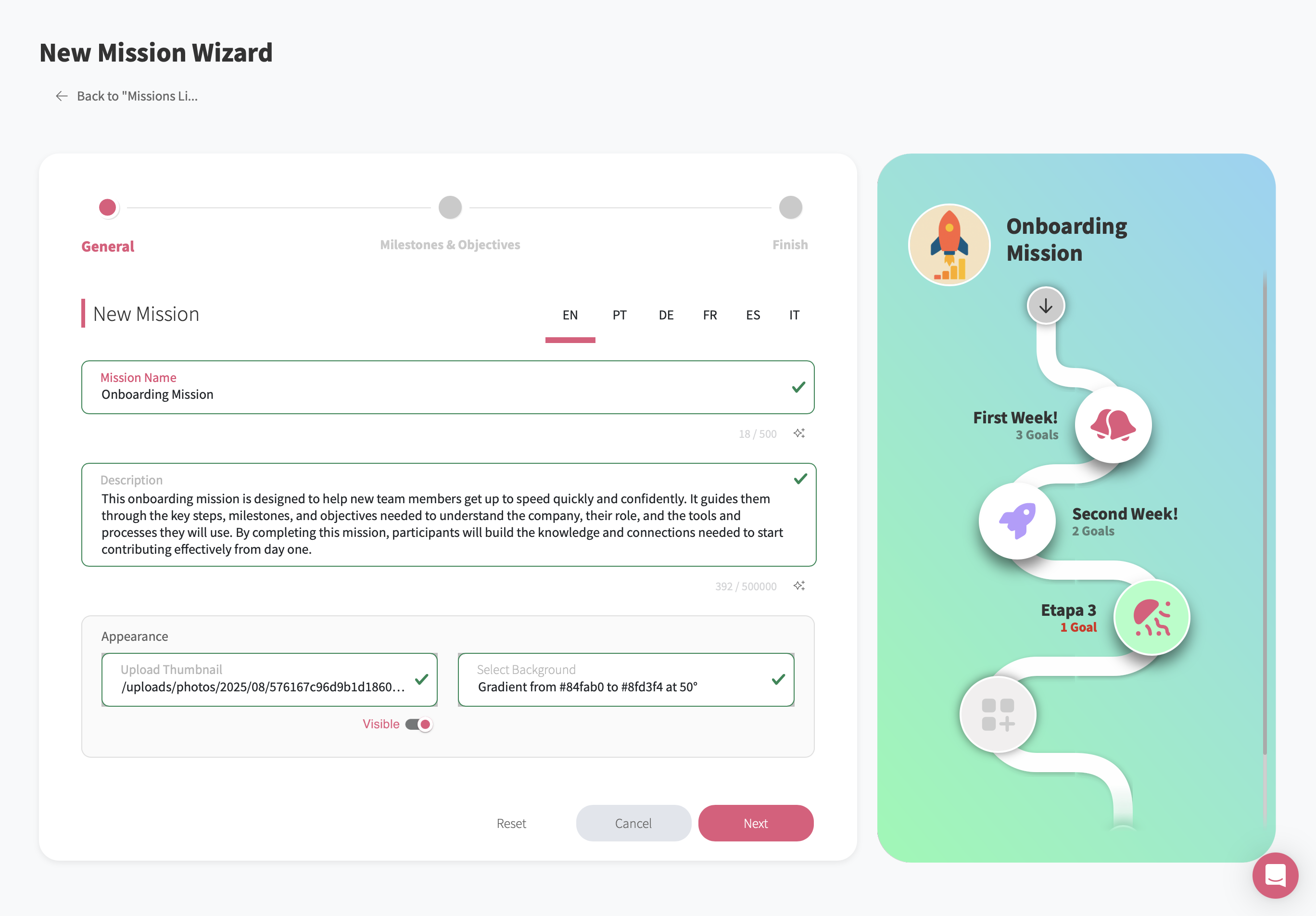
GFoundry Mission editor. Organise milestones and preview the participant experience.
Example: a new sales process
From the first introduction
to the first real task.
Prepare your team for a new sales follow-up process, supported by a CRM. Guidance and activities sit in GFoundry; practical work takes place in the context of people’s jobs.
Understand the change
Use a short video to introduce the stages of the new sales process, each person’s responsibilities and where to get help.
Learn the essentials
Explain when to record a contact, how to update an opportunity and who follows up on the next step. Use a quiz to check understanding.
Try it with guidance
Ask people to apply the new process to a sample opportunity, in an appropriate environment. Include the tasks in the CRM and an opportunity to ask questions.
Give feedback and keep going
Collect difficulties through a form and prepare the next step. Revisit topics that need more practice.
Participation with purpose
Give people reasons
to keep going.
Gamification helps make progress visible. Recognise learning and collaboration with rules that make sense for your programme.
Recognise each milestone
Use points, badges or rewards to mark meaningful steps, according to your configuration. Give value to practice and the completion of activities.
Recognise people who help
Value colleagues who share knowledge and support their team. Make adoption a shared effort, with room for different learning paces.
Follow-up that guides action
See the progress.
Find what needs attention.
Follow the journey in GFoundry and listen to participants. Also define how you will assess the process in daily work: for example, task completion, record quality or whether people follow the agreed steps.
Mission progress
See participation and milestone completion. Identify where people stop progressing and who may need support.
Difficulties in daily work
Use forms and feedback to understand questions, time constraints or problems in the process. Adapt content and activities based on the responses.
Application in daily work
Combine learning progress with process indicators and team feedback. Data from other systems can add context; connecting it to GFoundry depends on integrations and the agreed scope.
Different audiences, relevant journeys
Prepare the people
who will put the process into practice.
Apply the same approach to internal changes or to preparing customers and partners. Define the audience, essential tasks and support needed before building the journey.
Employees
Support new operational procedures, sales routines or ways of collaborating, with or without new tools. Organise journeys by role, team or rollout stage.
Customers and partners
Prepare customers and partners for new service processes or to use a shared platform. Bring guidance, learning activities and feedback into an experience suited to that audience.
Before you begin
Your questions, answered.
Can we support new processes without introducing new software?
Yes. A change can involve new procedures, responsibilities or ways of working. Use Missions to explain the process, guide practice and collect feedback, even when your existing tools stay the same.
Can we create different journeys for different roles?
Yes. Prepare Missions with content and tasks relevant to each audience. Define participant groups and the modules you need when configuring the programme.
Can we combine training with practical tasks?
Yes. A Mission can bring together learning content, quizzes, tasks and forms, according to your active modules. Include activities in the context of people’s work and collect feedback about the difficulties they encounter.
How can we track process adoption?
Track participation and activity completion in GFoundry. Combine that information with participant feedback and criteria that show how people apply the process in their work. Connecting data from other systems depends on integrations and the project scope.
Where should we start?
Choose a pilot team and a set of tasks people need to carry out. Prepare a short Mission, test it with participants and adjust the journey before expanding it.
Which plan suits this programme?
Compare plans against the modules, audiences and integrations you need. Your plan and configuration should reflect the programme you want to launch.